Fill the order first, then go
Want to sell your signature dishes, Asian groceries or home baking to more students and neighbours, but worried you'll stock up and nobody buys, or drive over for two or three orders? Open a session on 明尼助手 and only head out once enough people have signed up.
- No commission
- We never touch your money
- Go only when it fills
What group-buy does for you
Not enough orders? Don't go.
Every session has a minimum, say 10 orders. If it isn't met by the cutoff, the session and its orders are cancelled automatically.
Cook in batches, price lower
Orders come in first, then you make them all at once. Dozens of portions in one go spread out the cost of ingredients, prep and the trip. Keep the menu short: three to five dishes you do best, priced a little below dine-in, fill up faster.
One spot, not door to door
You choose the pickup points, and you set the delivery fee for each one.
Money is between you and your buyers
明尼助手 only records who ordered what. We never handle any money and take no commission.
One-tap posters
One tap turns a session into a long poster with your products, pickup points, cutoff time and a mini program code. Share it; buyers long-press the code to order.
Open a session in five steps
- 01
List your products
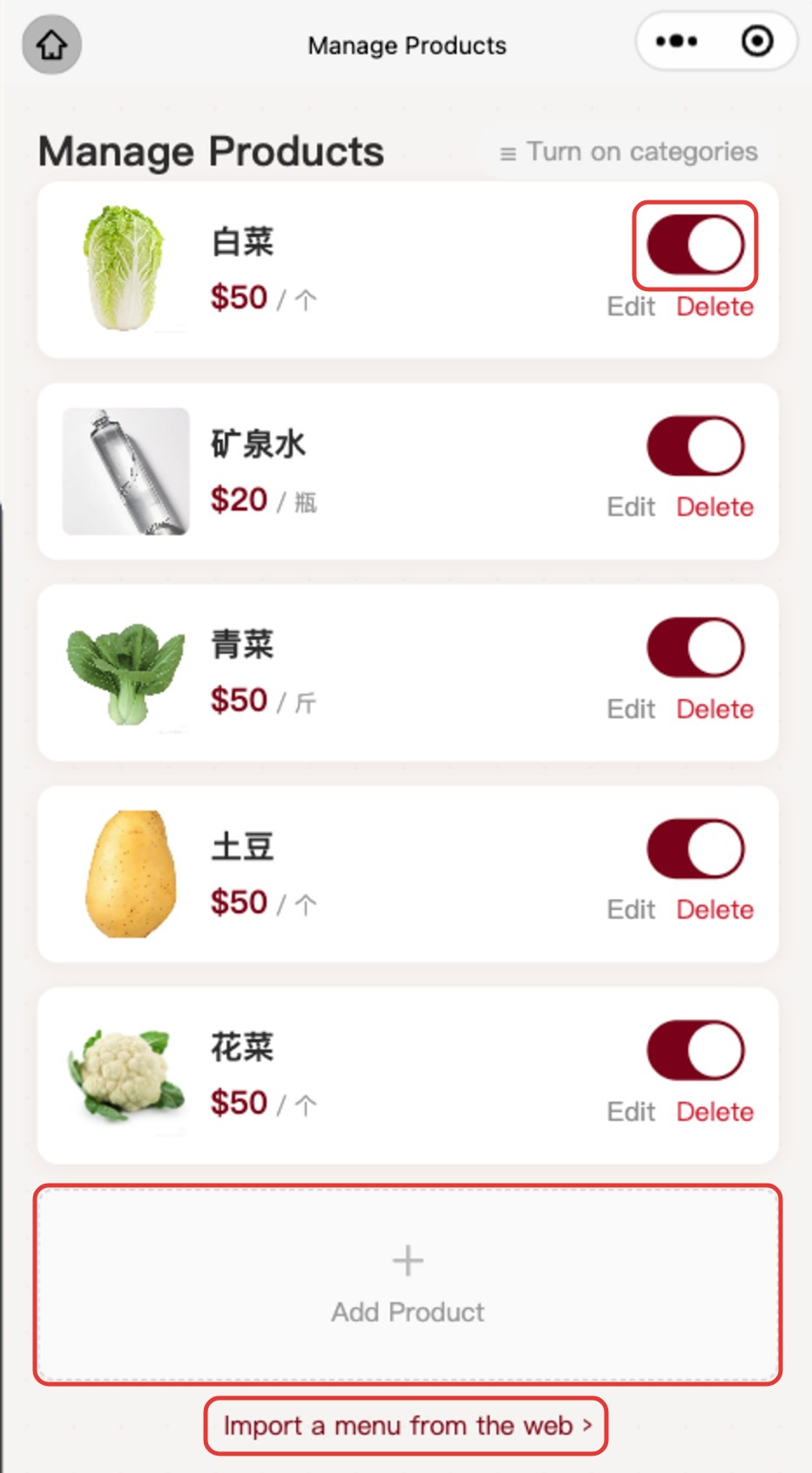
In My Shop, tap Manage Products → Add Product. Only name and price are required. Long menu? Tap Import a menu from the web and paste your menu link, text or photos at minnepal.com/en/import, then review and list everything at once. Sold out? Just switch it off.
- 02
Pick a day on the calendar
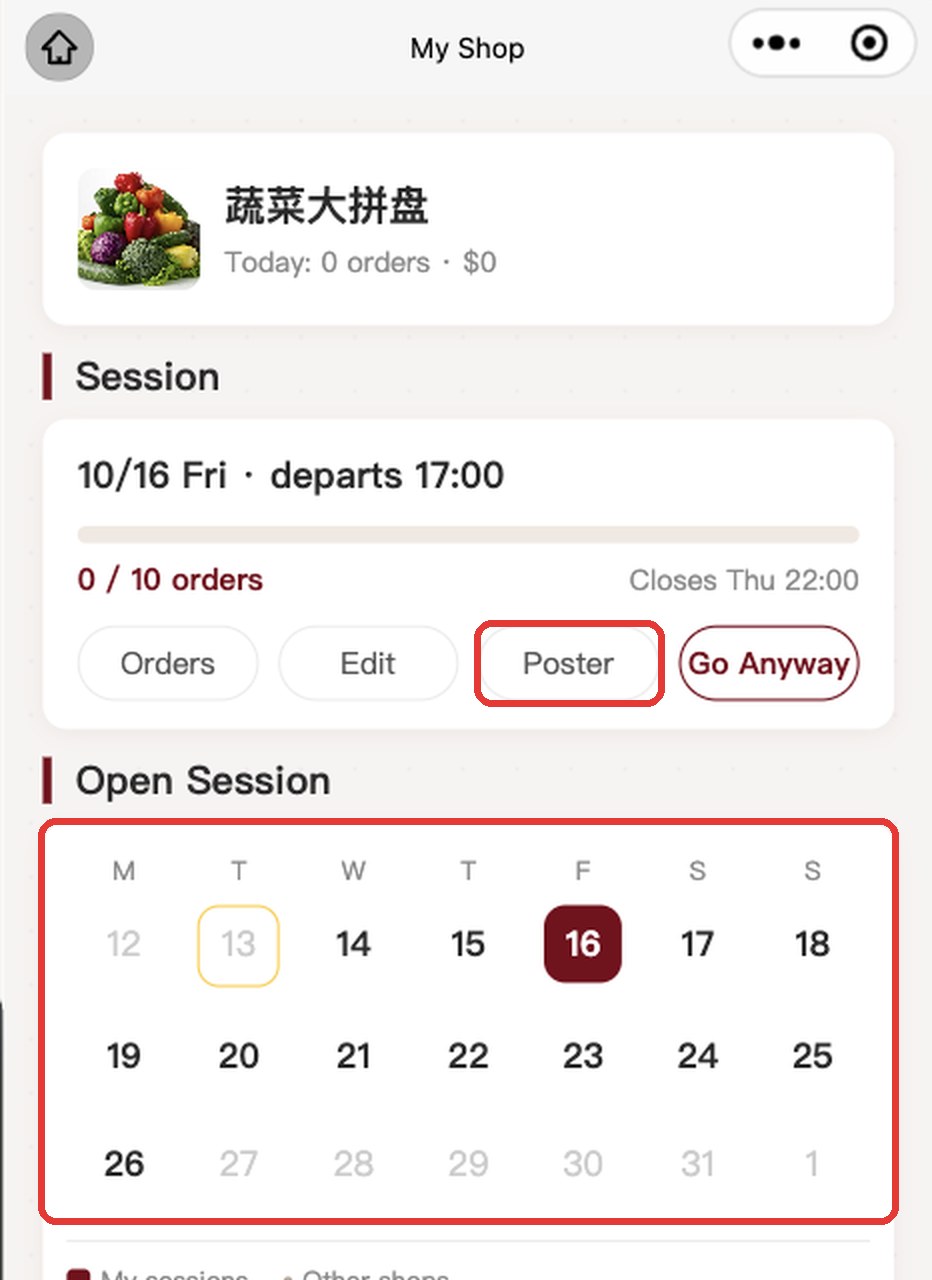
My Shop has a two-week calendar. Gray dots are other shops' sessions; avoid days when similar shops are running.
- 03
Set the minimum and pickup points
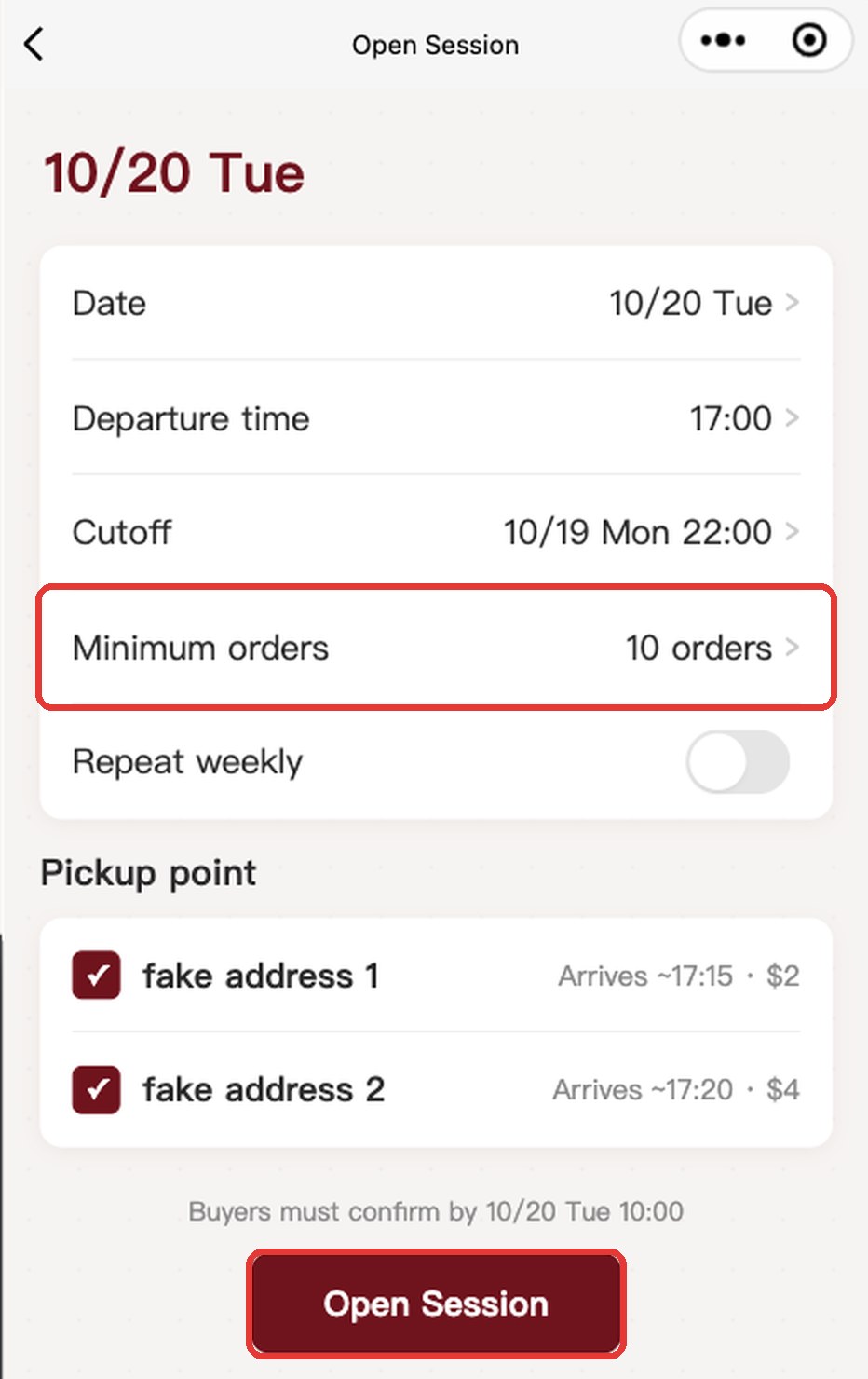
Set the departure time, cutoff and minimum, tick the pickup points for this session, then tap Open Session.
- 04
Make a poster
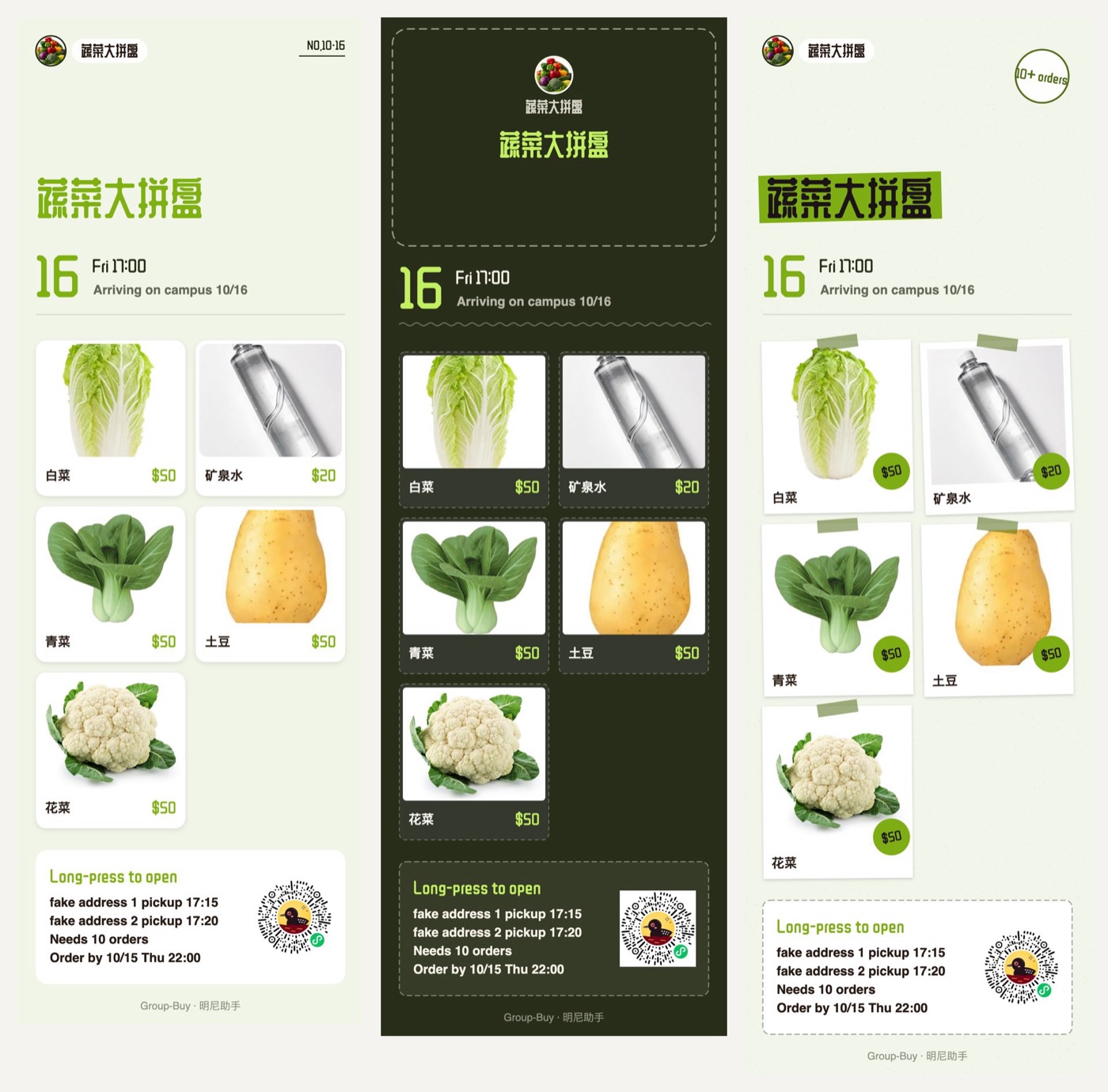
Tap Poster on the session card. Switch between Magazine, Chalkboard and Scrapbook, then save and share.
- 05
Orders to delivery in three taps
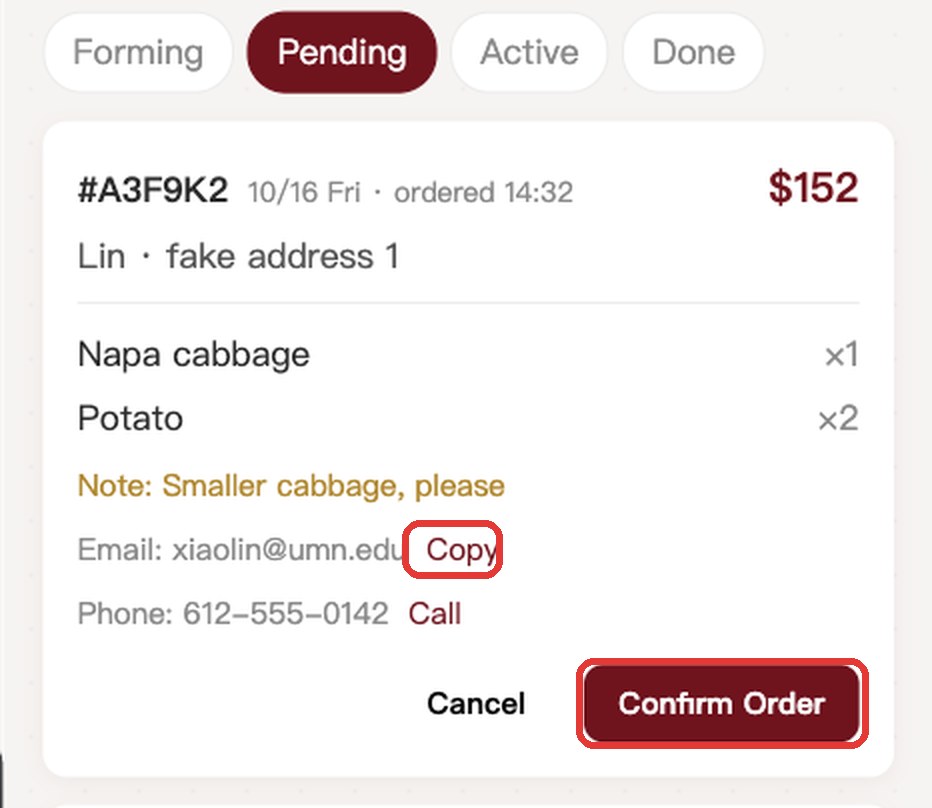
Once it fills, email buyers to collect payment and tap Confirm Order. Tap Start Delivery when you leave. At the pickup point, take a photo and tap Delivered; buyers get notified.
Suggested pickup points
These two are filled in for you when you open a shop. Edit or remove them, or add your own. Add UMN campus points yourself, since every shop starts from a different place.
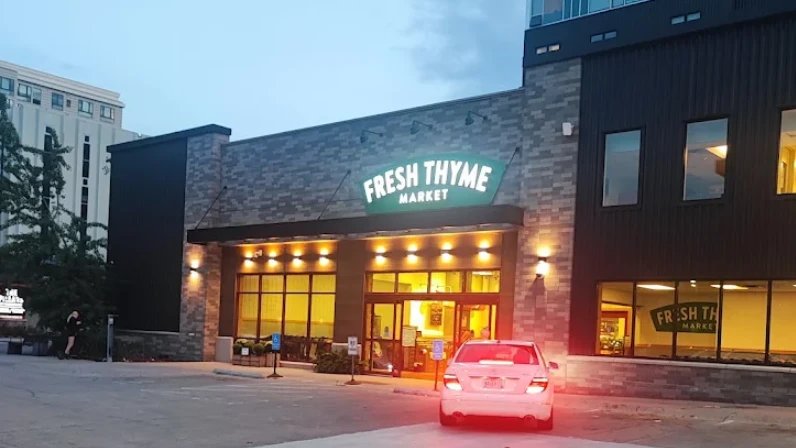
Fresh Thyme 30th Ave
24 30th Ave SE, Minneapolis, MN 55414
East of UMN in Prospect Park, at University Ave and 30th Ave. Students shop here all the time, so it's easy to name and easy to find.
Open in Google Maps →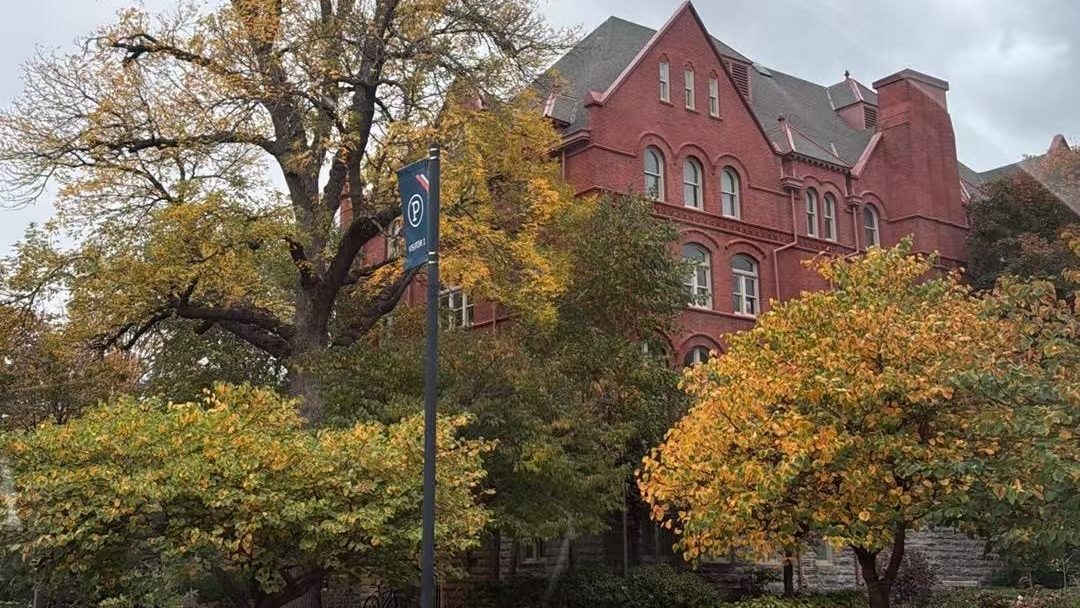
Macalester College
1600 Grand Ave, St Paul, MN 55105
In St Paul. The campus is small, so meeting on campus works. Farther than Fresh Thyme, about 25 more minutes on the road.
Open in Google Maps →FAQ
Does it cost anything?
No. 明尼助手 never handles money and takes no commission on your orders.
How do buyers pay?
Once a session fills, you email buyers to collect payment; the amount is whatever their order shows in the mini program. Every buyer's email is a verified school address.
Do I have to add my menu item by item?
No. In Manage Products, tap Import a menu from the web to get an import code, open minnepal.com/en/import in a browser and paste your menu link, text or photos. Then review the items in the mini program and list them all at once.
What if it doesn't fill?
If the minimum isn't met by the cutoff, the session and its orders are cancelled and buyers are notified. Don't want to wait? Tap Go Anyway.
Is the app in English?
Yes. Go to Me → 语言 / Language and choose English.
Selling food?
If you sell food, you are responsible for following local rules. Before opening your shop, the mini program asks you to read and confirm the seller responsibility notice.
How do I start?
Add WeChat uauauauauauaua_ with the note "Open a shop" and we'll send you a shop code. Each code opens one shop and is valid for 7 days.
Your next session starts here
Add WeChat uauauauauauaua_ with the note "Open a shop"
Add WeChat uauauauauauaua_ for a shop code
Buyers find you here: scan in WeChat or search 明尼助手